:no_upscale())
Talking to everyone about everything: a guide to inclusive language
Read story
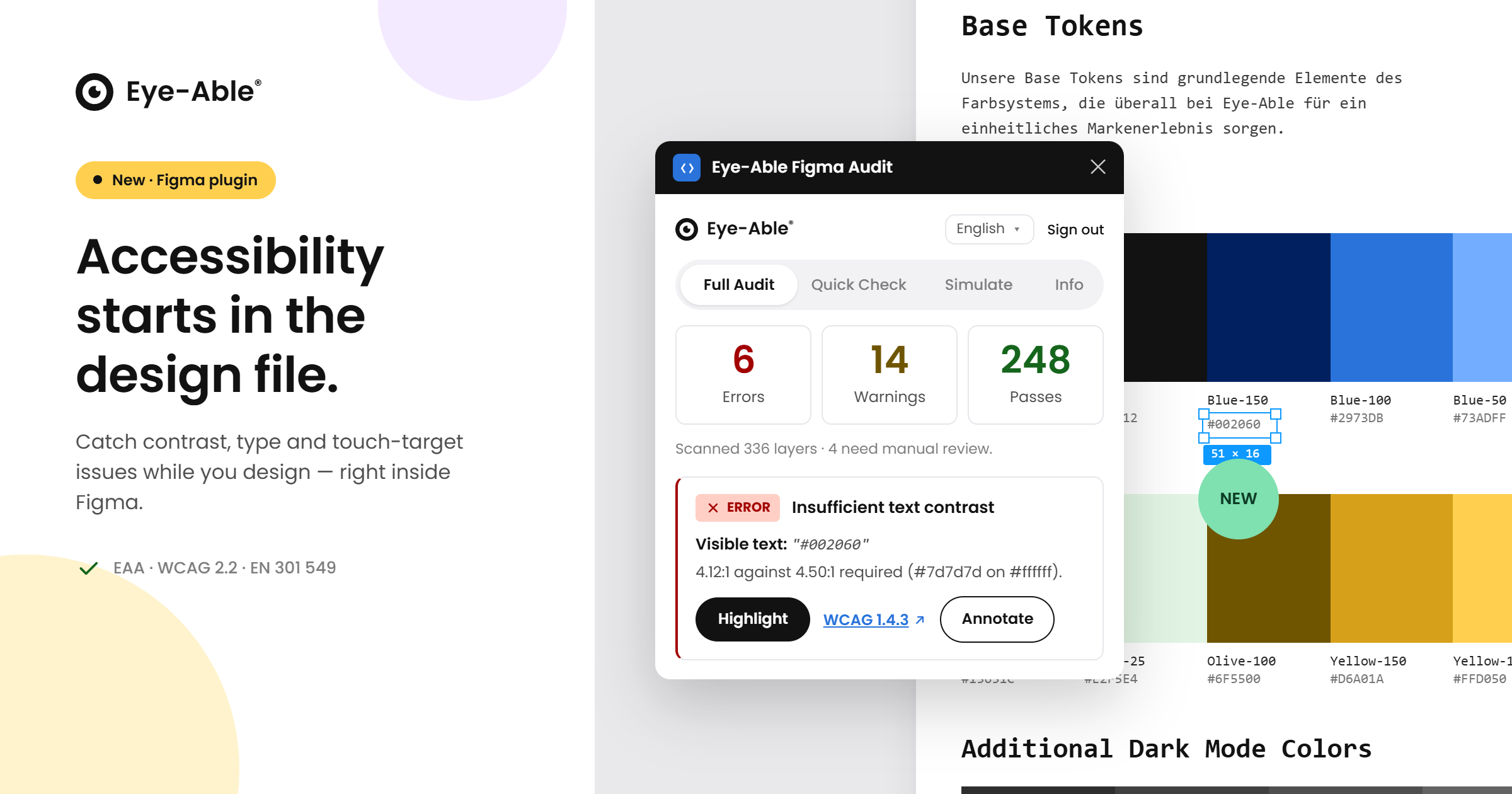 Build accessibility into every design
Accessibility is far easier — and far cheaper — to get right when it is considered from the very first pixel, not bolted on after a product ships. That is exactly why we built the new Eye-Able plugin for Figma. With the European Accessibility Act and standards like the WCAG raising expectations for digital products, design teams need a way to spot accessibility issues while they are still sketching screens, long before anything reaches development. Our new plugin brings Eye-Able straight into the tool where your designers already work, so accessible design becomes part of the everyday creative process rather than a final hurdle.
Right inside Figma, the plugin reviews your designs against established accessibility best practices and surfaces the things that matter — from colour and legibility to clearly identifiable, comfortably sized interactive elements and missing image descriptions. Designers can also preview how their work appears to people with different types of colour-vision deficiency, and leave accessibility notes that hand off cleanly to developers. Because the plugin is part of the Eye-Able platform, team members simply sign in with their existing Eye-Able account, and the experience carries the same familiar look and feel as the dashboard. Design, audit, documentation and remediation now connect in one continuous accessibility workflow.
By catching potential barriers at the design stage, teams ship more inclusive products, reduce costly rework later in the build, and move confidently toward compliance with frameworks such as the EAA, WCAG and EN 301 549. The Eye-Able Figma plugin is the natural next step in our mission to make digital accessibility effortless across every stage of your work — and it is available now to Eye-Able customers.
Ready to build accessibility into your designs from the start? Get in touch with our team to start using the Eye-Able Figma plugin.
Find out if your website works for everyone—test it for free with Eye-Able!
Talking to everyone about everything: a guide to inclusive language
Read story:no_upscale())
What does an inaccessible website really cost?
Read story:no_upscale())
Your WordPress site is never really finished: Why continuous maintenance matters
Read story:no_upscale())
A New Leadership Team for Eye-Able: Oliver Berchtold Appointed CEO
Read story:no_upscale())
HubSpot drops orange: how accessibility reshaped the CRM's design
Read story:no_upscale())
AC Monza chooses Eye-Able for digital accessibility
Read story:no_upscale())
How to make your website EAA-compliant in 8 steps
Read story:no_upscale())
Looking back at the 2026 World Cup: How accessible was the tournament really?
Read story:no_upscale())
Accessibility warnings in Austria? What European businesses need to know
Read story:no_upscale())
New: Eye-Able brings digital accessibility directly into the development environment
Read story:no_upscale())
Groundbreaking new AI-powered tests come to Eye-Able Audit
Read story:no_upscale())
One year of the EAA: Where businesses still fall short
Read story:no_upscale():format(png))
:no_upscale():format(png))